Narrowing A Search
Options for narrowing a search include:
Line (Edition)
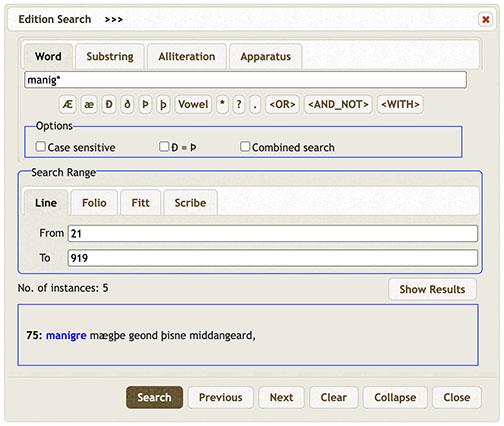
Search the entire edition or a specific line or lines. The default is the entire poem, lines 1-3182, but the user may change the 'From' and 'To' settings simply by replacing the numbers. For example, to search only lines 21-919 for the form manig*, type '21' after 'From' and '919' after 'To'.
Folio (Edition)
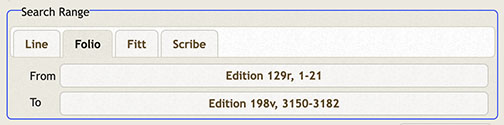
Press 'Folio' on the 'Search by' toolbar. Search the entire edition or a specific folio or folios. The default is the entire poem, folios 129-198v, but the user may change the 'From' and 'To' settings by replacing the folio numbers as desired.
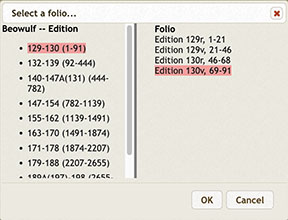
To change the range of folios to search, click '129r' and the 'From folio...' window opens; next click the appropriate gathering in the left frame, in this case '129-130 (1-91)' and select the desired folio, in this case '130v, 69-91', in the right frame.
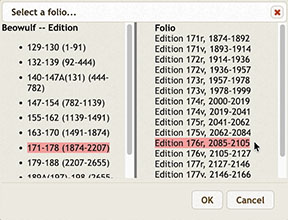
Click 'OK' and the new folio starting point will appear after the 'From' range. Repeat this process to reset the end of the range of folios after 'To', in this case gathering 171-178 and folio 176r.
Now the Search Range will show the folio parameters you have chosen and you are ready to search.

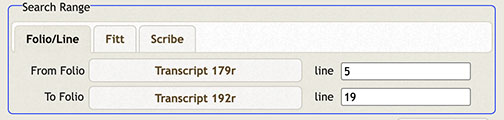
Folio/Line (Transcript)
The Transcript Search is set up somewhat differently than the Edition Search.

To set the folio range, press 'FolioLine' and follow the instructions for setting the folio range at Folio (Edition).
To set the line range, click 'line 1' to access the line choices for the folio in the 'From folio' box.
Fitt (Edition or Transcript)
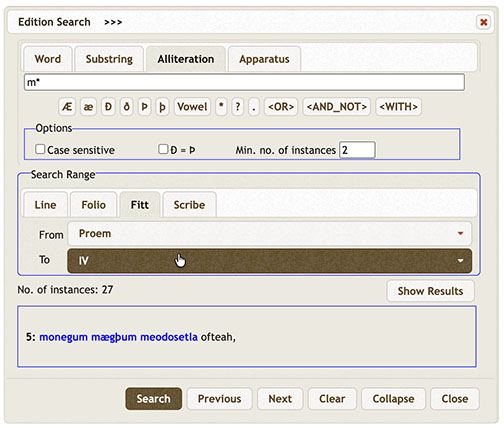
Press 'Fitt' and 'Proem' appears after 'From' and the final fitt, XLIII, after 'To'. Reset the range by selecting a new fitt number for 'From' and then for 'To'. Here a search of alliteration on words beginning with m (m*) is set from the Proem to Fitt IV.
Scribe (Edition or Transcript)
Three scribes copied the Beowulf manuscript. The First Scribe copied fols. 129-174v3, lines 1-1942, up to the word scyran; the Second Scribe copied fols. 174v4-198v, lines 1942-3184, from moste to the end of the poem. However, a third scribe, with a hand combining features of scribes 1 and 2, wrote another text on a palimpsest of fol. 179, recto and verso, lines 2210-53a. To search by scribe, click 'Scribe'.
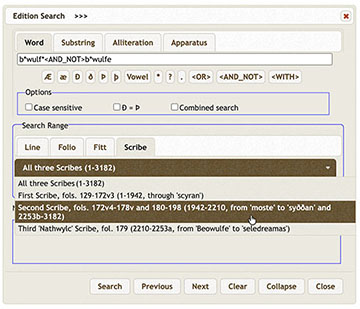
The menu permits searches of 'All Three Scribes', 'First Scribe,' 'Second Scribe,' and 'Third Scribe,' also called the 'Nathwylc Scribe'.
For full discussion of the third scribe, see Kiernan, The nathwylc Scribe and the nathwylc Text of Beowulf.